
Workout summary
See what improved since last time, after every workout
Progressive overload is simple to describe and easy to lose track of. IronBuddy's workout summary does the comparison for you: every exercise against the last time you did it, new personal records marked on the set that earned them, and the muscles you worked with the sets each one got.
Last updated

7-day free trial, then €6.99 once · No subscription
Every exercise against your last session
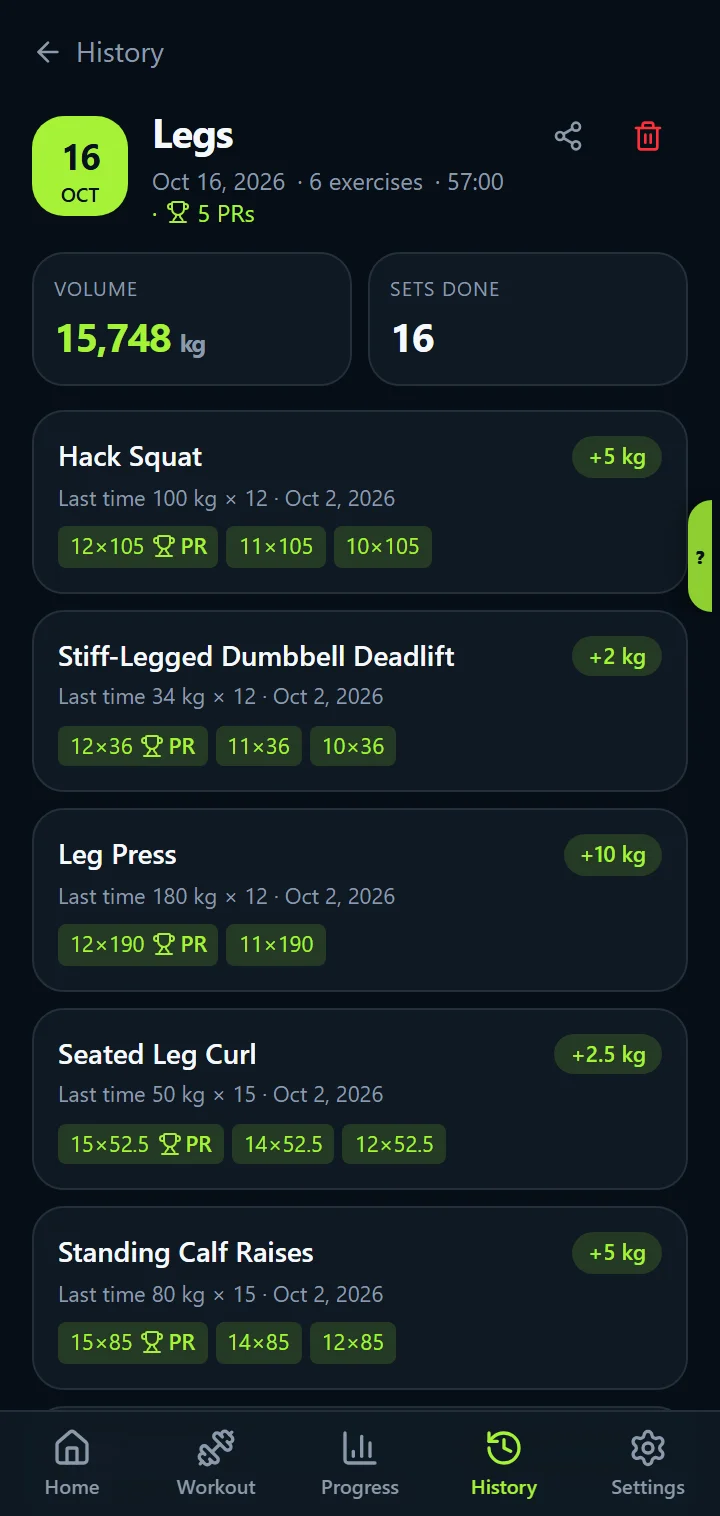
Open a workout in History and each exercise shows how it compares with the previous time you did it: +2.5 kg or +2 reps on your best set, Same as last time, or First time for a new exercise. The comparison is per exercise, not per day, so it still works when you move a lift between days or change your split.
At the top, a date badge and the number of personal records in the session. Below each exercise, the sets as you logged them, with the record set marked.
Personal records, kept per exercise
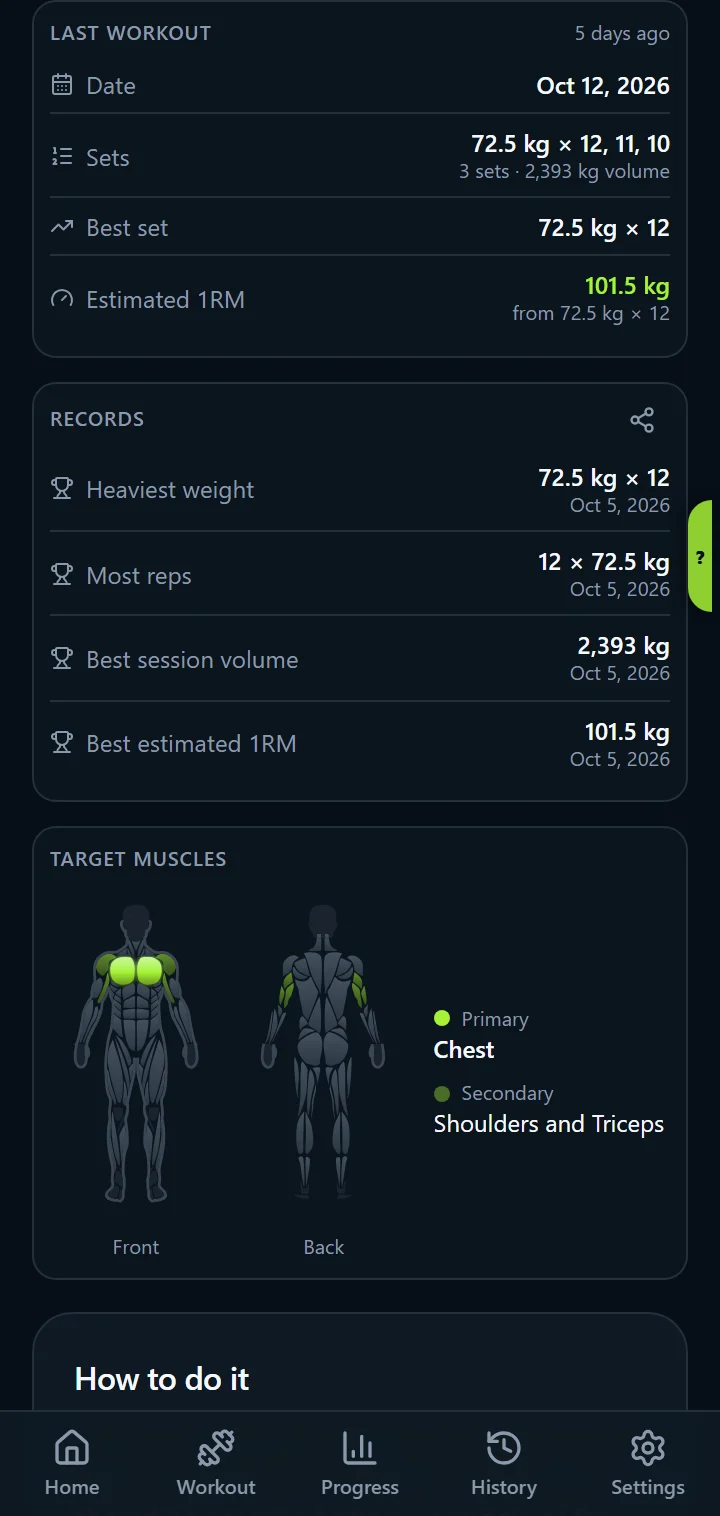
When you save a workout with a heavier weight than ever before on an exercise, IronBuddy tells you at once. Every exercise page keeps four records with their dates: heaviest weight, most reps in a set, best session volume and best estimated 1RM. Home's Personal records widget counts them and lists the latest.
In the full version, tapping a PR marker opens that record as a share card: “105 kg × 12, +25 kg since Jul 2026”.
Muscles worked and volume per muscle
The summary ends with the body map for the whole workout, main muscles solid and helper muscles faded, and the working sets per muscle. It is the same counting rule as Muscle Balance: every set you marked done counts once, for the exercise's main muscle.
- Total volume (sets × reps × weight) and the number of sets for the session
- The muscles trained, on a front and back body map
- Working sets per muscle, as a list
- A Share button (full version) for the workout card or any PR card
History: every workout you've logged
The History tab lists every session newest first, with its name, date, number of exercises, volume and records. Logging a past date puts the workout where it belongs, and the comparison uses the session before it. Nothing is ever sent anywhere: your history is stored on your phone and works offline.
Workout summary questions
Which session is each exercise compared with?
The previous time you logged that exercise, whatever day it was on. The comparison looks at the best set: more weight shows as "+2.5 kg", more reps at the same weight as "+2 reps", and an identical best set as "Same as last time". An exercise you have never logged before says "First time".
What counts as a personal record?
A new heaviest weight on an exercise. IronBuddy notifies you when you save a workout with one, marks the record set in the summary, and keeps every exercise's records: heaviest weight, most reps in a set, best session volume and best estimated 1RM, each with its date.
Can I open the summary of an old workout?
Yes. Every workout you have ever logged is in History, newest first, with its exercises, volume and records. Open any of them for the full summary, or delete it there if you mis-logged.
Get IronBuddy on Google Play
Free to download with a 7-day free trial. After the trial, pay €6.99 once to keep it all unlocked. No account, no ads, no subscription.