
Workout logging
Log drop sets, supersets, rest-pause and more, properly
Most gym logs stop at sets, reps and weight. IronBuddy logs the techniques lifters actually use, each with its own numbers: a drop set with every drop, a rest-pause set with every pause, a superset with its pairing. It all counts in your volume, your sets per muscle and your charts.
Last updated

7-day free trial, then €6.99 once · No subscription
Every set: reps and weight, quickly
Open a day from Home with its Log button, tap an exercise, and each set has reps and weight with + and − buttons. Add or remove sets, reorder exercises, add any of 800+ exercises, write a note for the exercise or the whole day, then Log workout. Today or any past date. Read how to log your workouts.
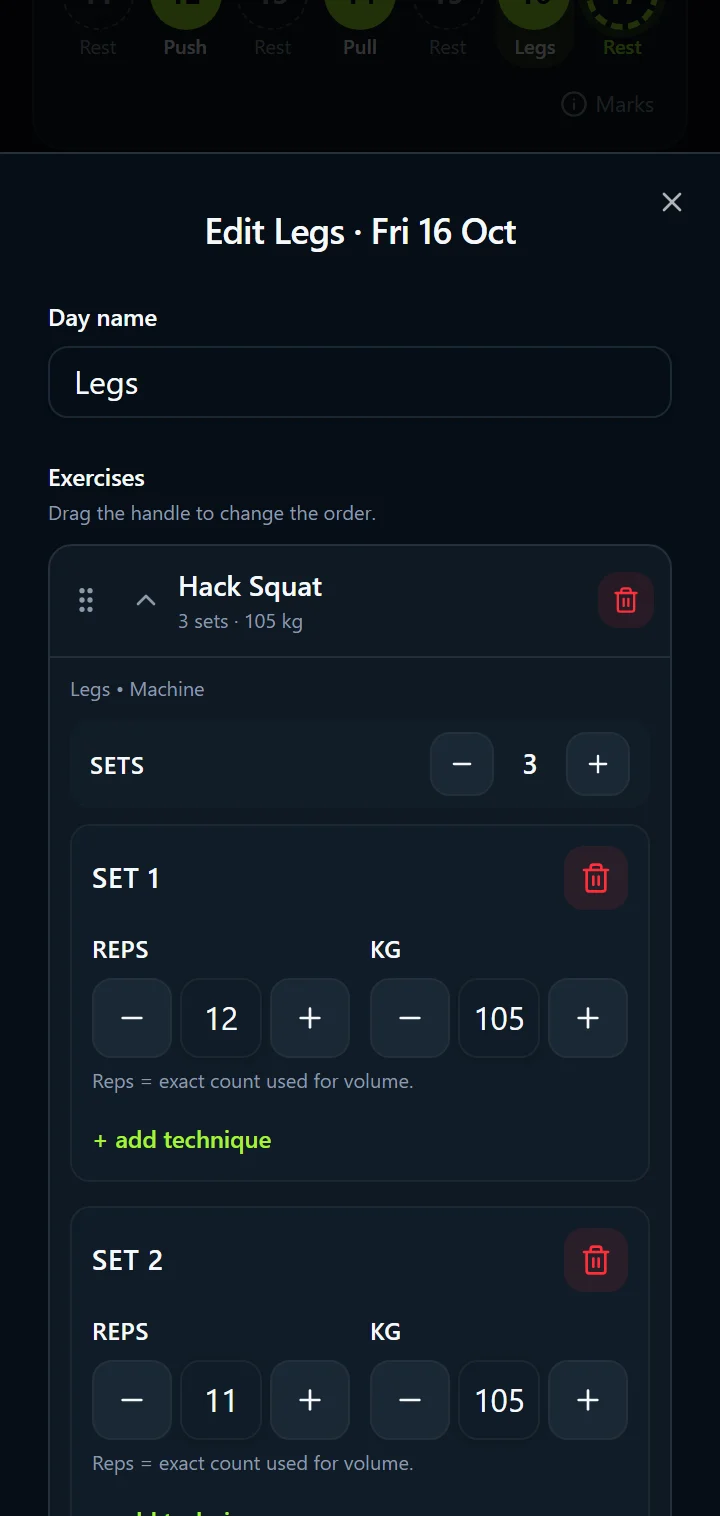
Eight techniques, each with its own numbers
Tap + add technique under a set and pick one. A drop set gets a drop row with its own reps and weight; rest-pause gets its pause chunks; myo-reps their mini-sets. Nothing is approximated: what you lifted is what is logged.
| Drop set | After the main set, lower the weight and go again without rest. Each drop is logged with its own reps and weight. |
|---|---|
| Superset | Two exercises back to back. Log the pairing on the set so the day reads the way you train it. |
| Rest-pause | A set, a short pause of 10–20 seconds, then more reps with the same weight. Every pause chunk has its reps. |
| Pyramid | Weight up and reps down from set to set, or the reverse. Each step is its own set. |
| Back-off set | A lighter set after your heaviest work, logged at its own weight so the volume is right. |
| Myo-rep | An activation set, then several short mini-sets with brief rests. Each mini-set is logged. |
| Cluster set | One set split into clusters of a few reps with short rests inside the set. |
| Mechanical drop | Switch to an easier variation of the movement when you can't do more, with the same weight. |
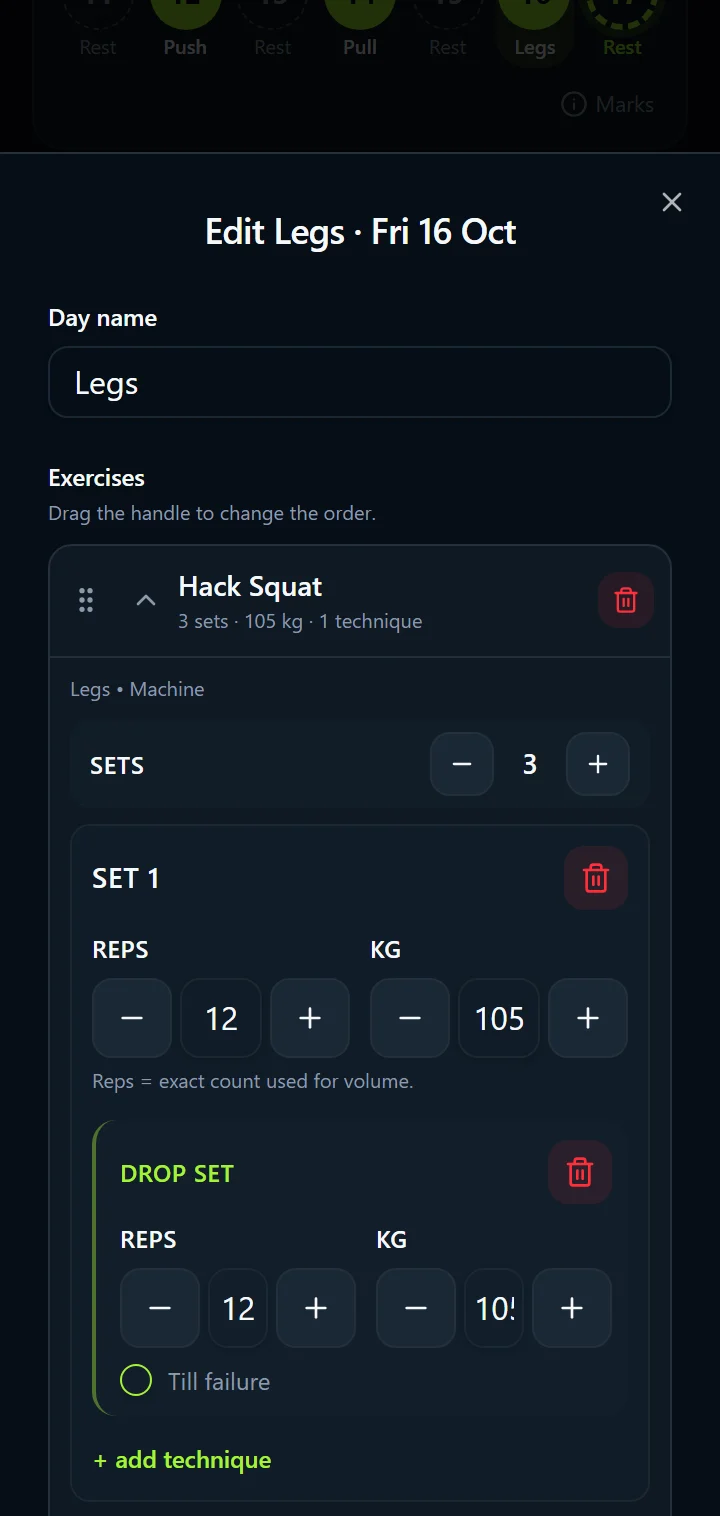
How to log a drop set
- Open the day with its Log button and tap the exercise.
- Log the main set: reps and weight.
- Tap + add technique under it and choose Drop set.
- Enter the drop's reps and weight. Add another drop if you did one.
- Tap Log workout. The summary shows the drop under the set, and the volume includes it.
More ways to log
- Quick-log one exercise: tap an exercise on today's day and Log this exercise, without opening the whole day.
- This date only, or your plan too: the “Also update my plan” switch decides whether a change sticks for the same day in later weeks.
- Past dates: log a workout for any day you missed; it lands in History in its place and the comparison uses the session before it.
- PR notification: when you save a heavier weight than ever before on an exercise, IronBuddy tells you. See the workout summary.
- Offline: logging never waits for a connection. See offline tracking.
Set technique questions
Do drop sets and rest-pause reps count in my volume?
Yes. Every drop, pause chunk or mini-set has its own reps and weight, and all of them count toward the session's volume, the sets per muscle and the volume charts. A set you leave at zero reps and zero weight is skipped.
Can I plan techniques ahead, not only log them?
Yes. Add a technique to a set from the day's Log button, or when you log a single exercise from its page, and it is saved with the day. If "Also update my plan" is on, it is planned for the same day in later weeks too.
What is the "Till failure" switch?
A note on the set that you took it to failure. It is kept with the set and shown in the summary, and it does not change the numbers.
Get IronBuddy on Google Play
Free to download with a 7-day free trial. After the trial, pay €6.99 once to keep it all unlocked. No account, no ads, no subscription.