
Features
Workout log, training splits, progress charts and a Home you arrange yourself
IronBuddy is an Android workout tracker built around what lifters actually do at the gym: log sets, follow a training split, and check whether the numbers are going up. It works offline, needs no account, and has no ads or subscription. Each feature below has its own page that goes deeper.
Last updated

7-day free trial, then €6.99 once · No subscription
IronBuddy at a glance
- Platform
- Android, through Google Play. Not available on iPhone yet.
- Works offline
- Yes. Logging, workout history and the exercise library need no internet connection.
- Account
- None. There is no sign-up or sign-in.
- Ads
- None.
- Pricing
- Free to download with a 7-day free trial of the whole workout tracker: logging, every split and exercise, progress charts and body metrics. The full version adds export and import, a local copy of your data, share cards, a customizable Home (arrange and resize your cards) and accent colors. After the trial, a one-time in-app purchase of €6.99 keeps everything unlocked and is required to keep logging and editing. No subscription.
- Your data
- Stored on your device and not sent to IronBuddy servers.
- Units
- Kilograms or pounds.
See it in two minutes
The Play Store tour: your week, logging a workout, progress, splits and customising your dashboard, with no voice-over.
 1:56Watch the 2-minute tourYour week, logging a workout, progress, splits and your dashboard.Opens YouTube in a new tab
Workout logging: sets, reps, weight, techniques and notes
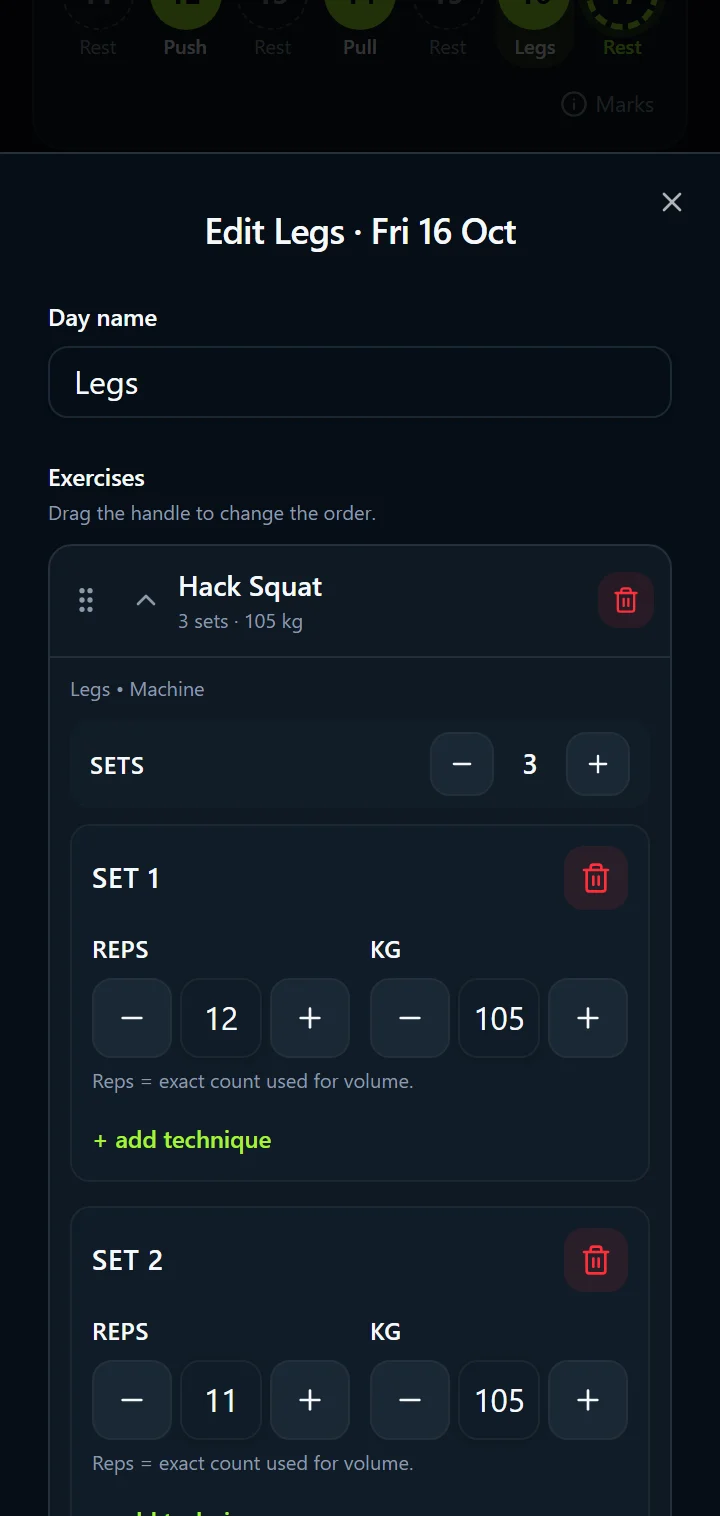
Record each exercise as sets, reps and weight, for today or a past date, and add exercises on the fly. Drag exercises into the order you train them, write a note on an exercise or on the whole day, and log the techniques you actually use: drop sets, supersets, rest-pause, pyramid, back-off sets, myo-reps, cluster sets and mechanical drops, each with its own reps and weight.
Exercises without reps or weight are skipped, so an unfinished row does not clutter your history. The “Also update my plan” switch decides whether a change applies to that date only or to the same day in later weeks. New to logging? Read how to log your workouts.
Home: today, your week and your widgets
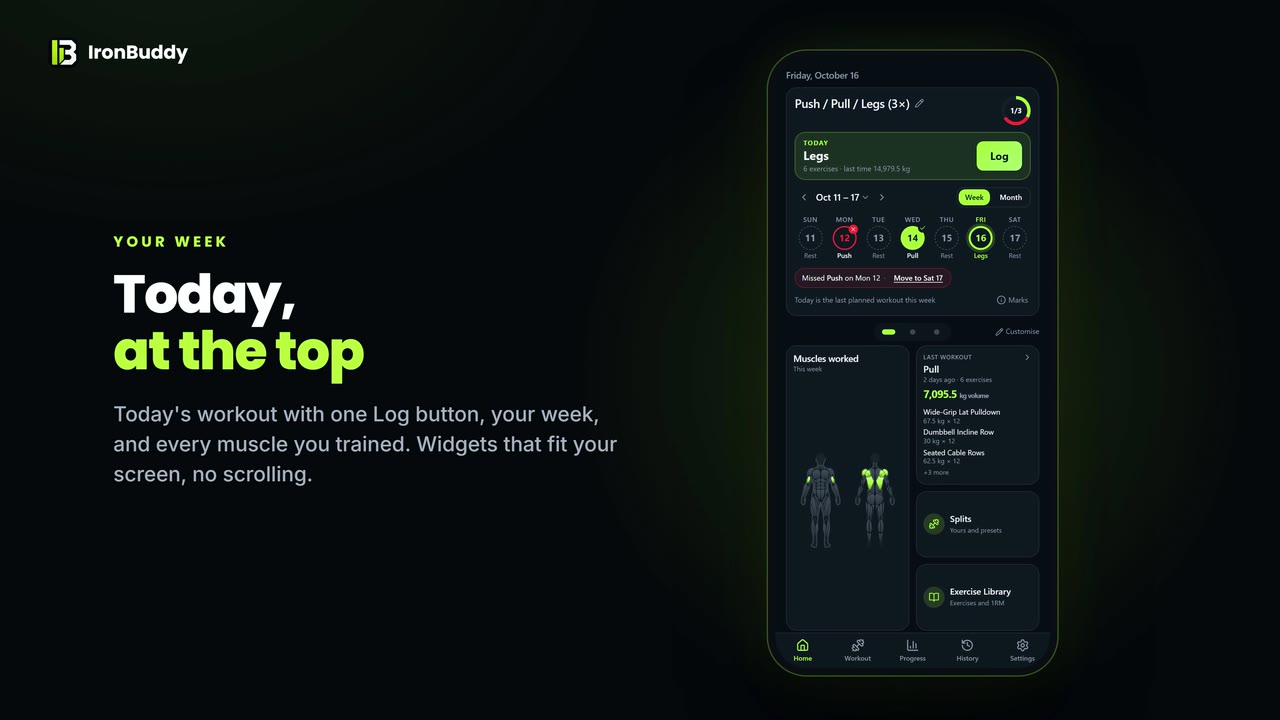
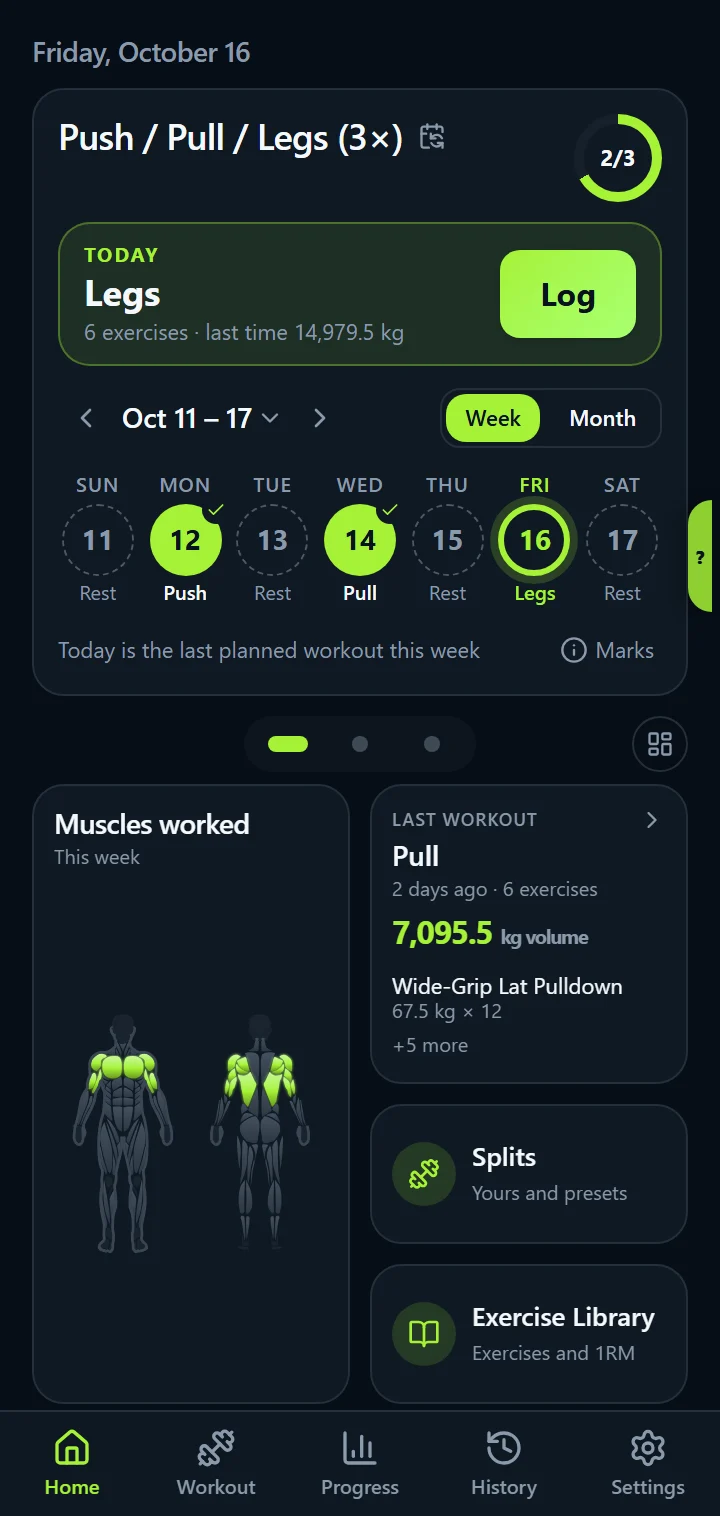
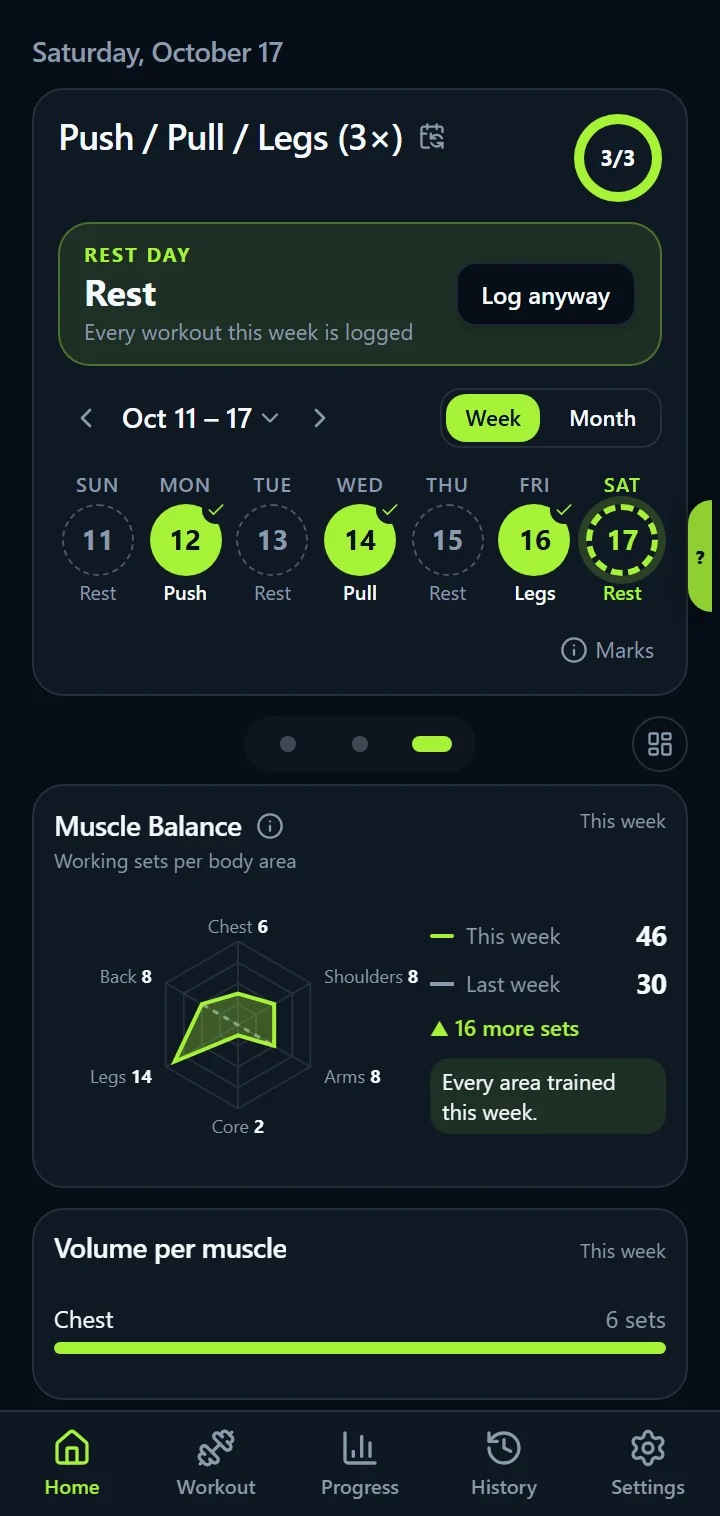
Home opens on today: the workout planned for today, its exercises and what you lifted last time, with one Log button. Under it, your week: each day's circle shows whether it is logged, partly logged, missed, today or a rest day, and the progress at the top right counts every workout you log, planned or not.
Missed a day? “Missed Push on Mon · Move to Sat” moves that workout to the next free day in one tap. Switch between a week and a month view, or tap the date to jump to any week.
Below it, swipe between three pages of widgets that fit the screen without scrolling: the muscles you worked this week on a body map, your last workout, an exercise chart, personal records, workout counts, body weight, Muscle Balance and volume per muscle.
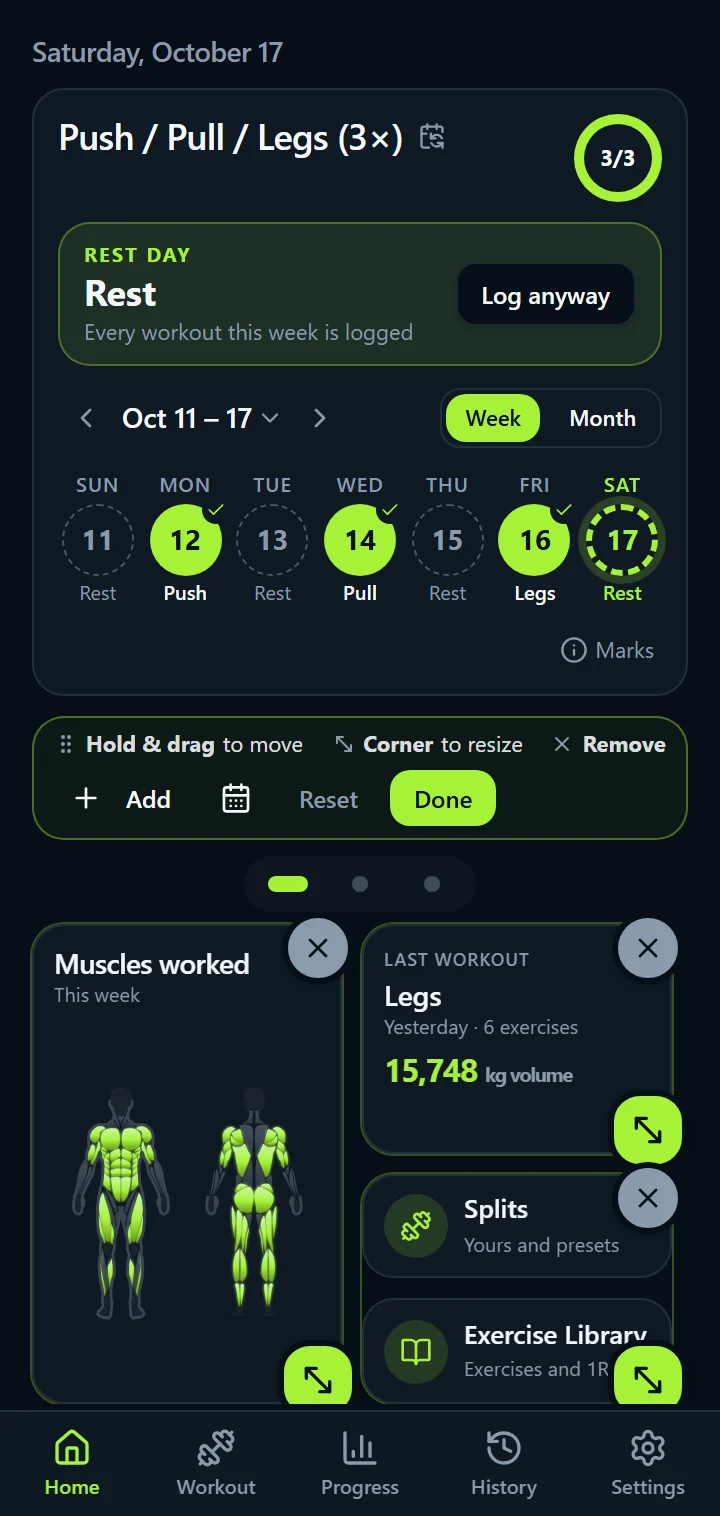
A customizable Home: your calendar look and your widgets
Pick how the calendar looks: five day styles (Ring, Boxes, Track, Effort or Agenda), five ways to show your progress, and the greeting above it. In the full version, arrange the widgets too: tap the dashboard button, or hold a widget, then drag it, even to another page; tap or drag its corner handle to make it small, wide, tall or large; remove the widgets you don't need and add others, such as a chart for every exercise you care about. Reset puts the default widgets back.
Muscle Balance and muscles worked
Muscle Balance counts your working sets this week for six body areas (chest, shoulders, arms, core, legs and back) against last week, and names the areas you have not trained yet. Each set counts once, for the main muscle of the exercise.
Muscles worked lights up every muscle you trained this week on a front and back body map, glutes included after squats and deadlifts. Open any exercise to see its target muscles, primary solid and secondary faded.
Training splits and workout planning
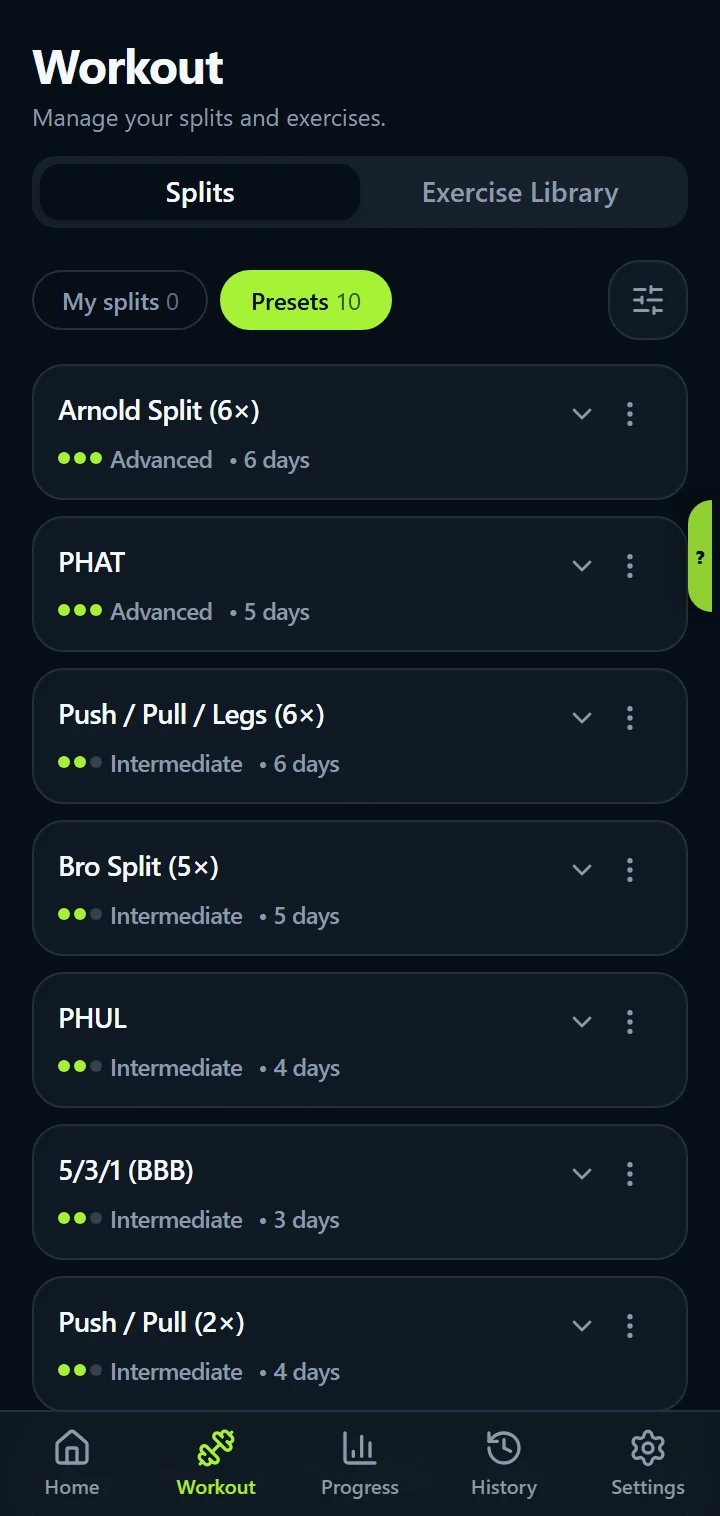
Start from a preset or build your own. IronBuddy includes ten: Full Body 3×, Upper / Lower, Push / Pull / Legs (3× and 6×), Push / Pull (2×), Bro Split, Arnold Split, PHUL, PHAT and 5/3/1 (BBB), each with rep ranges and rest times on every exercise. Filter them by days a week, style and level, make one active, edit any day, and export your active split as a PDF.
Every preset has a guide: Full Body, Upper Lower, Push Pull Legs, PHUL, PHAT, bro split, Arnold split and 5/3/1 Boring But Big.
Progress charts: best weight, 1RM, volume, reps
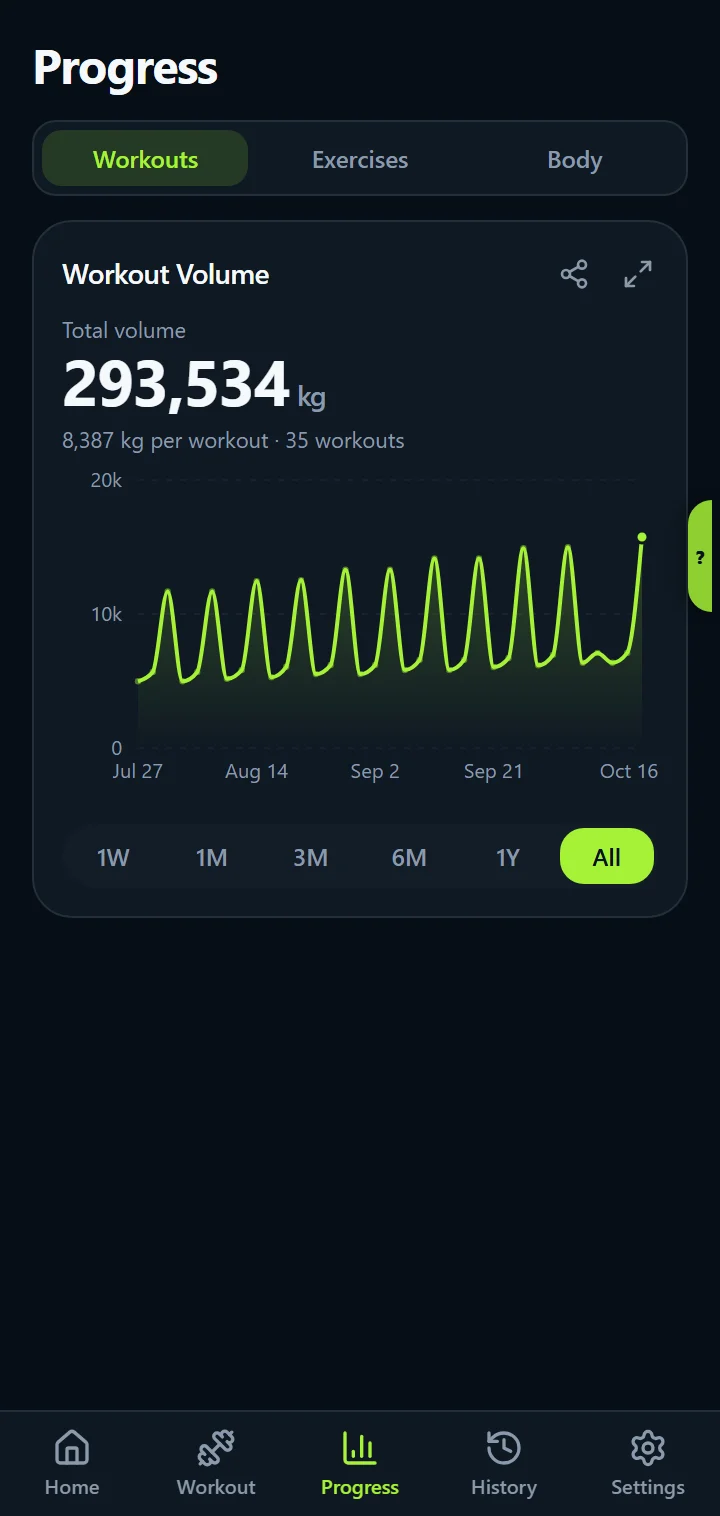
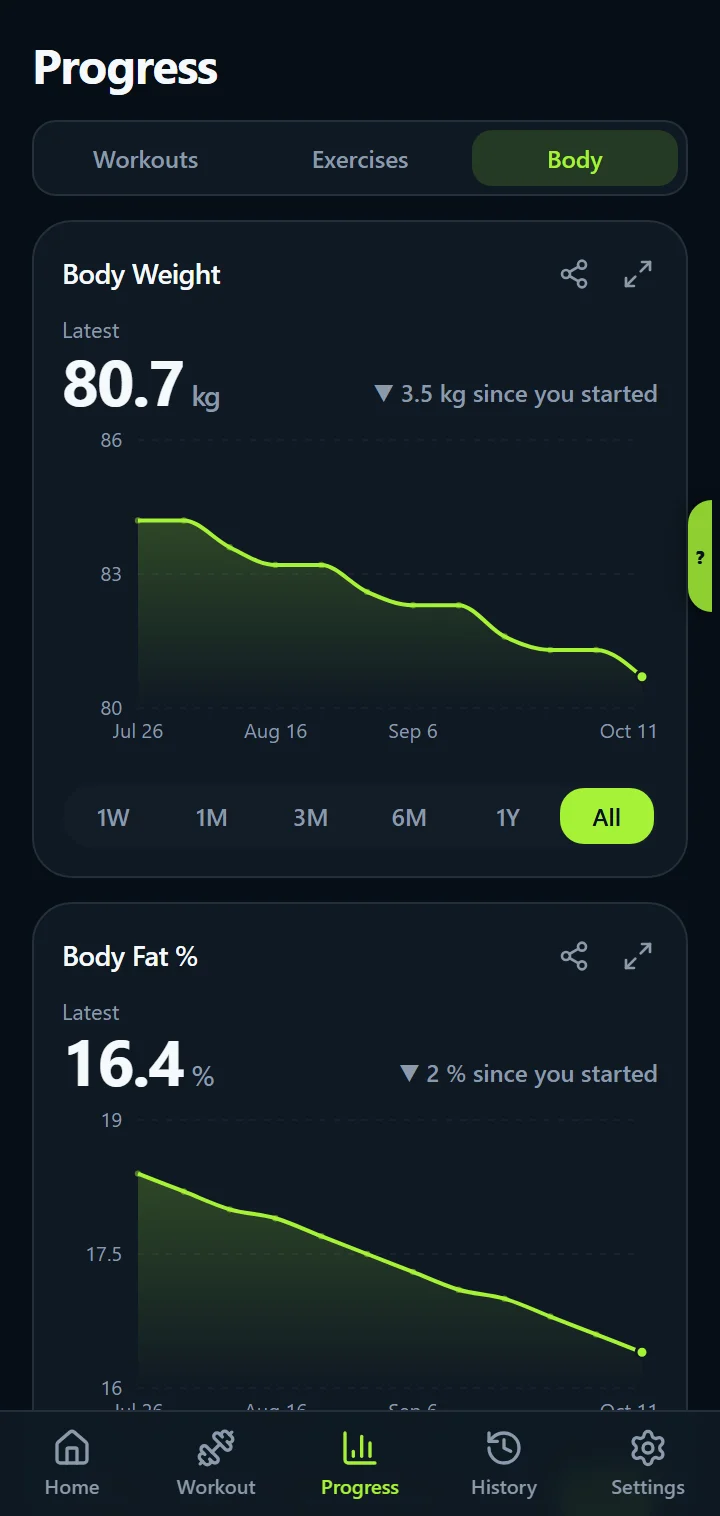
The Progress tab has three views. Workouts charts your total training volume and the average per workout. Exercises charts one lift at a time: best weight, estimated 1RM (Epley formula on the best set of each workout), weight against reps, volume or reps. Body charts your weight and body fat.
Every chart shows its headline number and how it changed, ranges from one week to all time, and a full-screen view. These are the numbers lifters use to check progressive overload; for a simple method, read how to track progressive overload.
Workout summary and personal records
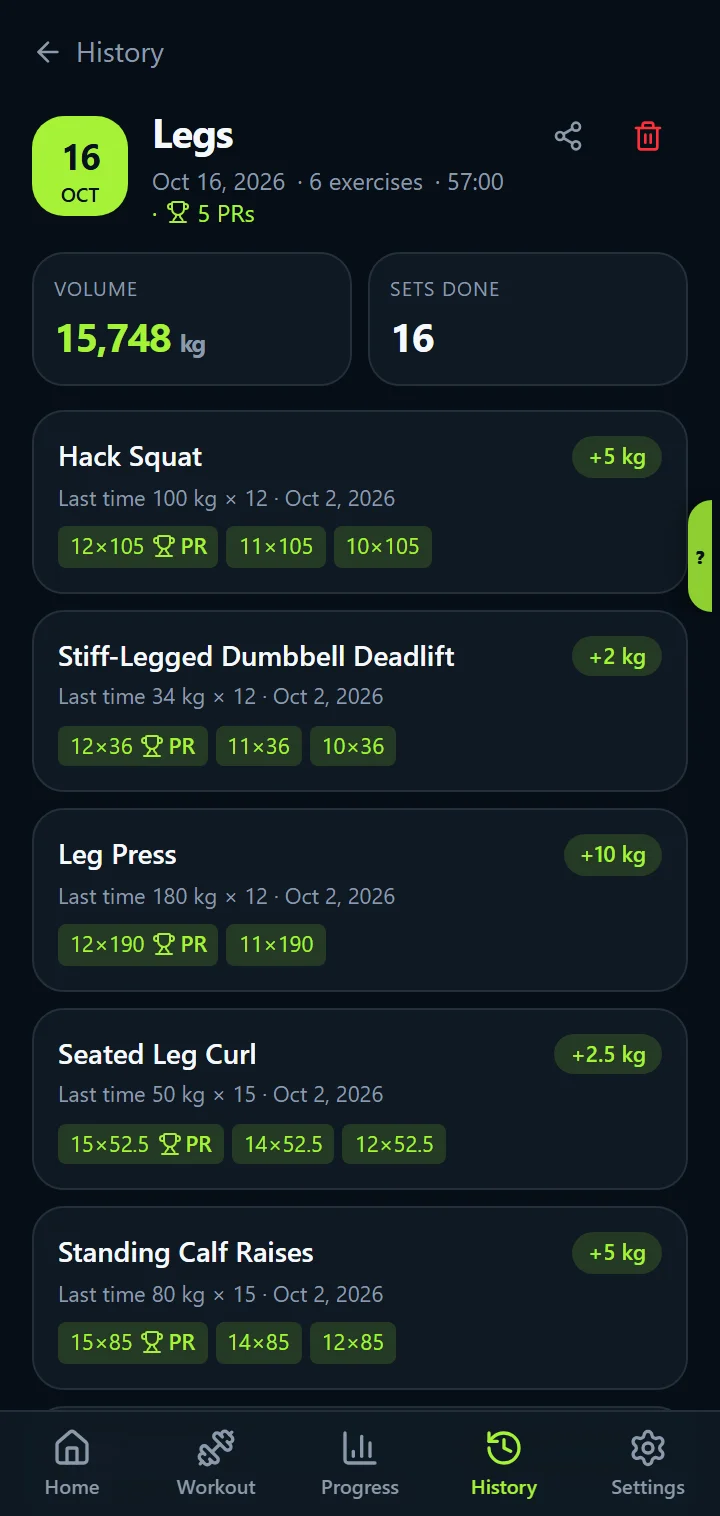
Open a workout in History to see each exercise against last time (+2.5 kg, +2 reps, same as last time, or first time), a marker on the set that earned a new record, the muscles you worked and the sets per muscle. Every exercise keeps its records: heaviest weight, most reps, best session volume and best estimated 1RM, with dates, and the app tells you when you save a new one.
Share cards: workouts, PRs and charts as images (full version)
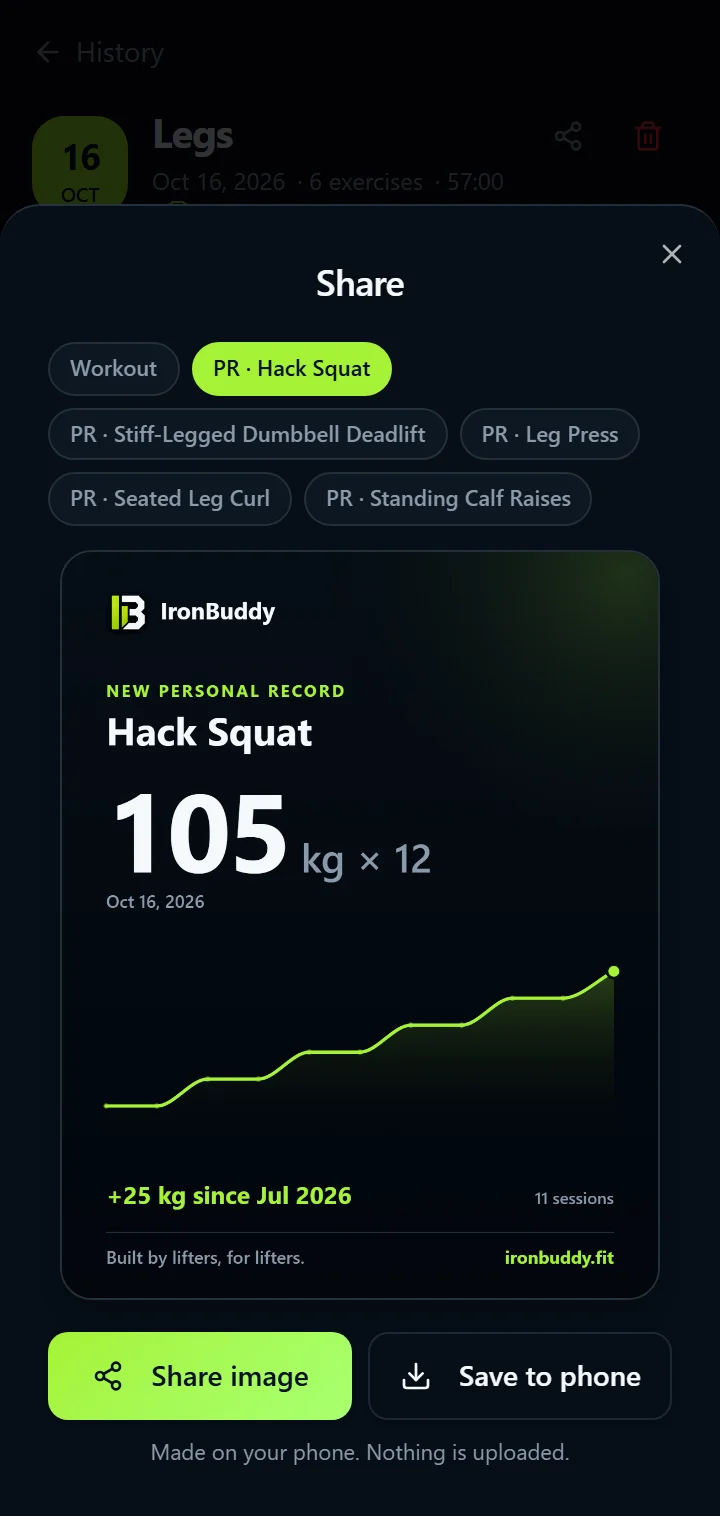
Turn a workout, a personal record or a progress chart into an image in your accent colour and share it with Android's share sheet, or save it to your phone. The image is made on your phone; nothing is uploaded.
Body metrics: weight and body fat percentage
Log body weight and body fat percentage whenever you want to, in Settings under Body Tracking, and see each as a chart over the same time ranges as your training. Body metrics are optional, so you only track what is useful to you.
Exercise library with demonstrations, filters and your records
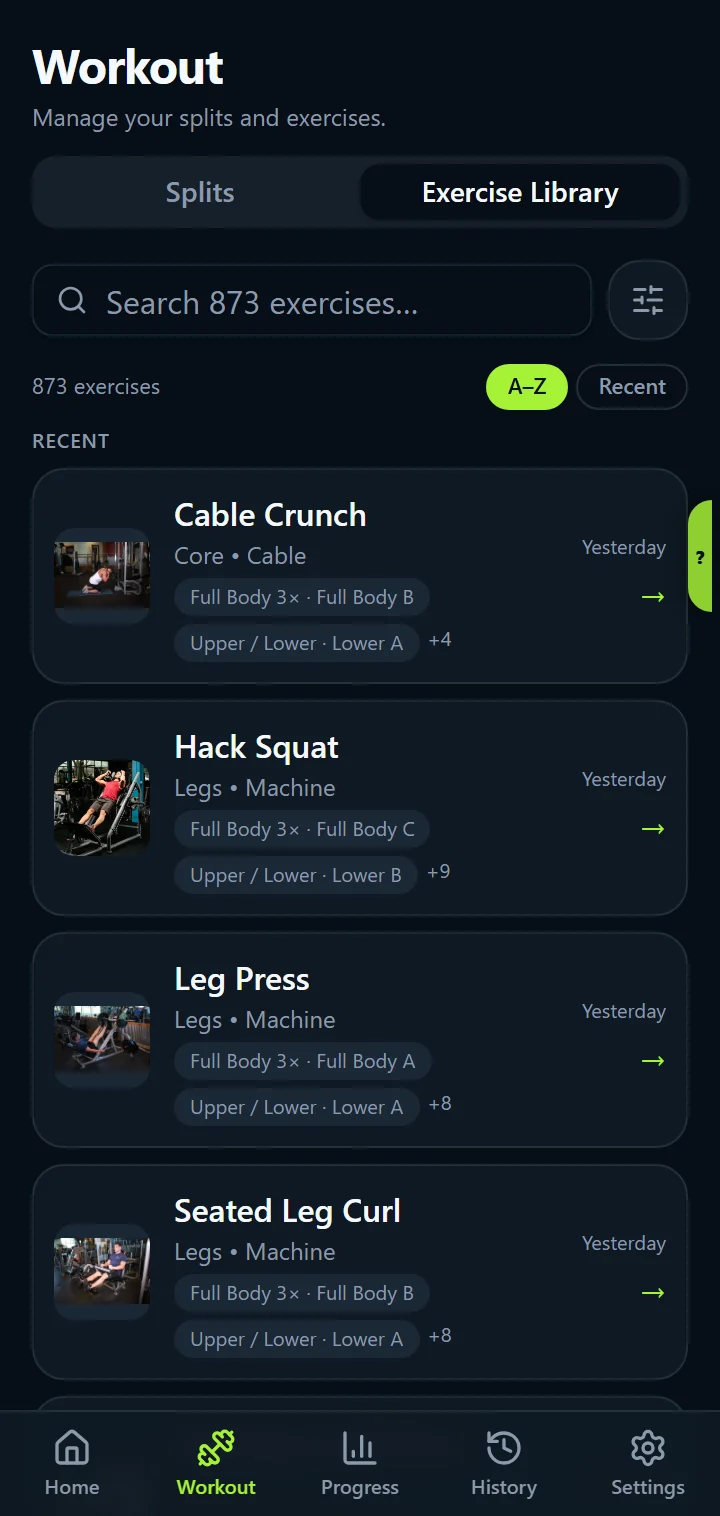
Search more than 800 exercises, filter by muscle group and by equipment, sort A–Z or by the ones you did most recently, and see a demonstration for each one. Open any exercise to see your last workout, your records, the muscles it targets on a body map and written cues for good form. The library works offline, like the rest of the app.
Make it yours
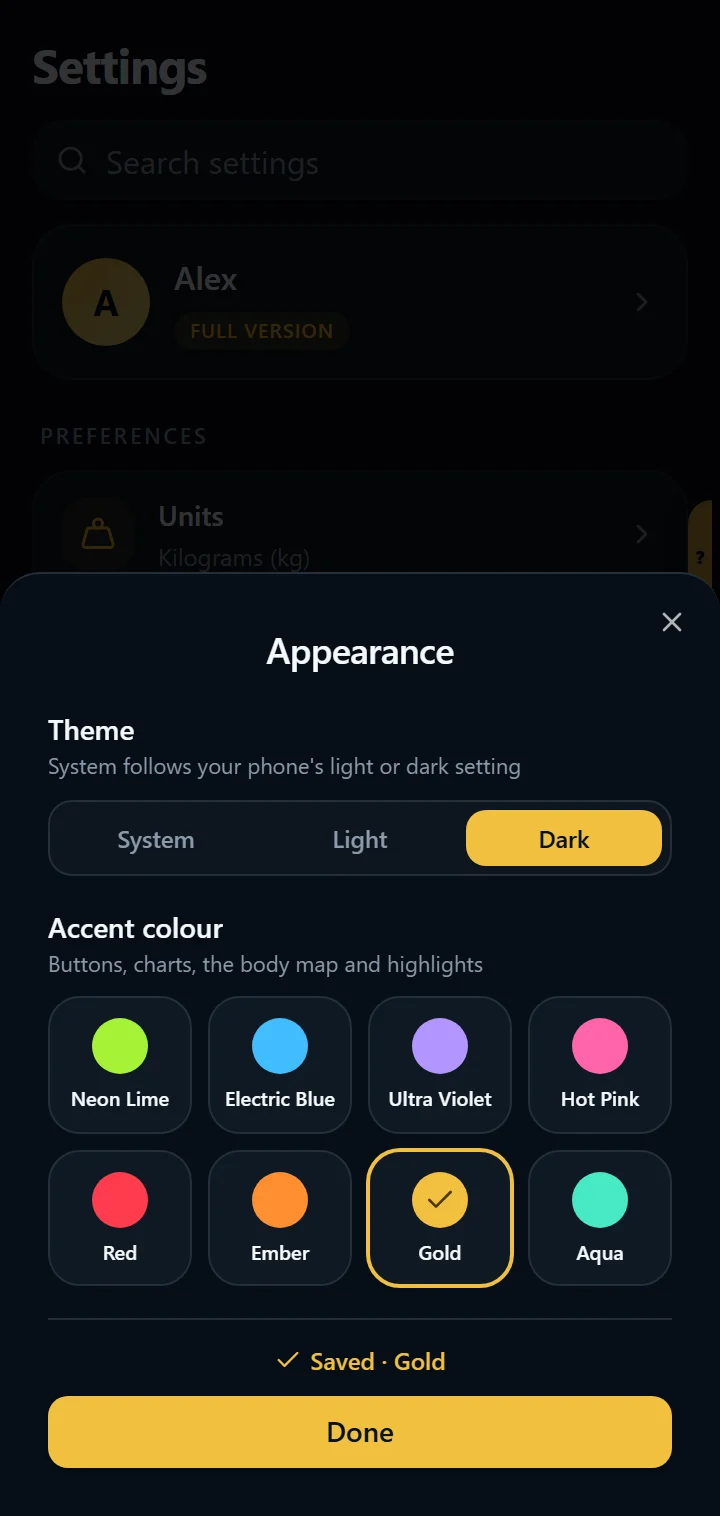
Light, dark or follow your phone's theme. In the full version, pick one of eight accent colours: it recolours buttons, charts, the body map, highlights and your share cards, in light and dark theme.
Settings has a search box that finds any setting, such as “theme” or “backup”.
Your data: offline, private, and portable
- Offline: logging, history, and the exercise library work without a connection.
- No account: there is no sign-up or sign-in and no IronBuddy cloud.
- Stored on your device: workouts, splits, notes, body metrics, and settings live in the app's on-device storage. See what IronBuddy stores and where.
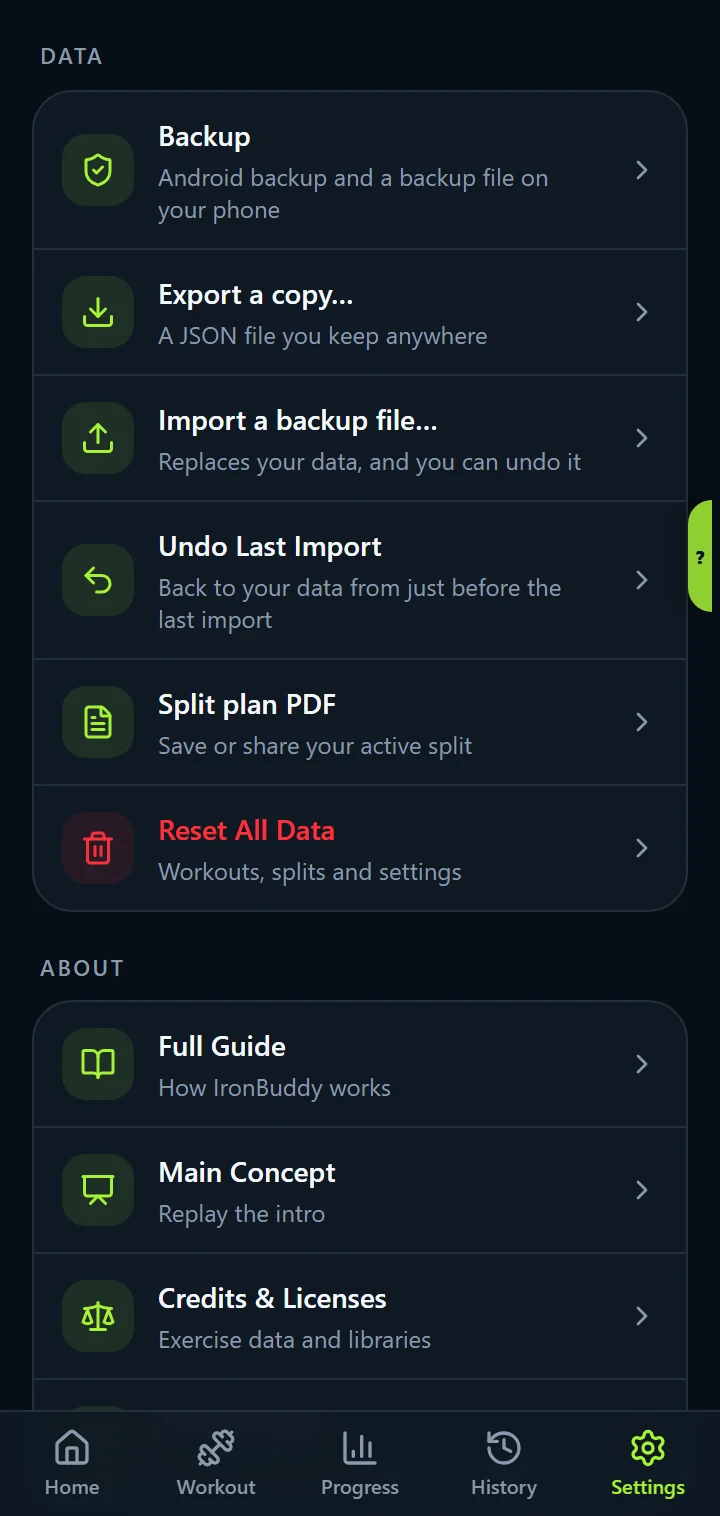
- Backups you control: in the full version, an automatic JSON backup file in your Downloads folder (you can turn it off in Settings), manual JSON export, and import with an undo copy kept from just before the import.
- Reset All Data: clears what IronBuddy stores on the device.
Get IronBuddy on Google Play
Free to download with a 7-day free trial. After the trial, pay €6.99 once to keep it all unlocked. No account, no ads, no subscription.