
Muscle Balance
Sets per muscle group each week, and what you skipped
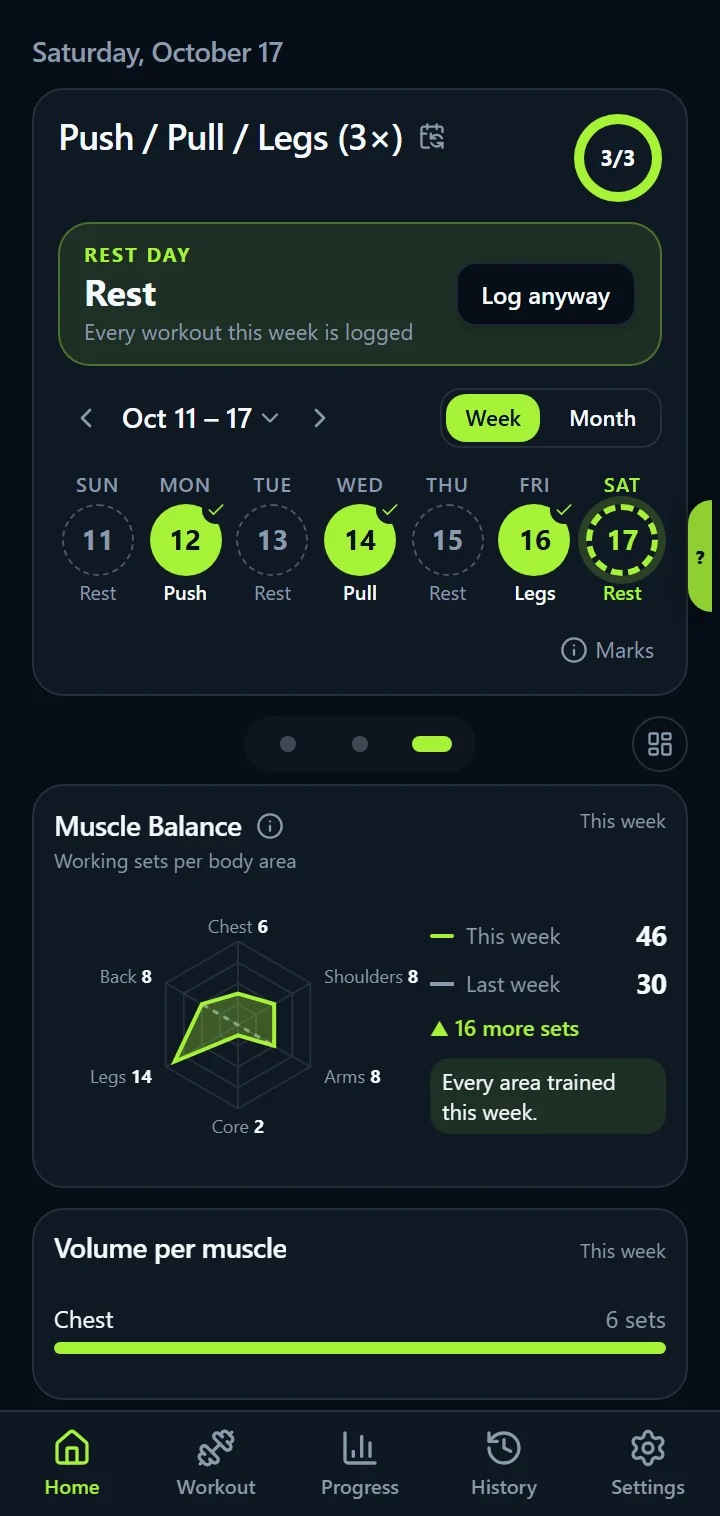
Muscle Balance is a widget on IronBuddy's Home. It counts your working sets this week for six body areas, draws them as a shape against last week's, and names the areas you haven't trained yet. Together with the Muscles worked body map, it answers two questions every lifter has: what did I train this week, and did I miss anything?
Last updated

7-day free trial, then €6.99 once · No subscription
Six areas, this week against last week
The chart has six points: Chest, Shoulders, Arms, Core, Legs and Back. This week is the green shape, last week the dashed outline, so a dent shows an area that got less than usual. Next to each area is its number of working sets, in red when it is zero.
Beside the chart are both weeks' totals, the change (“▲ 4 more sets”), and the line that matters most: “Not trained yet: Core, Legs”, or “Every area trained this week” once you have covered them all.
How the sets are counted
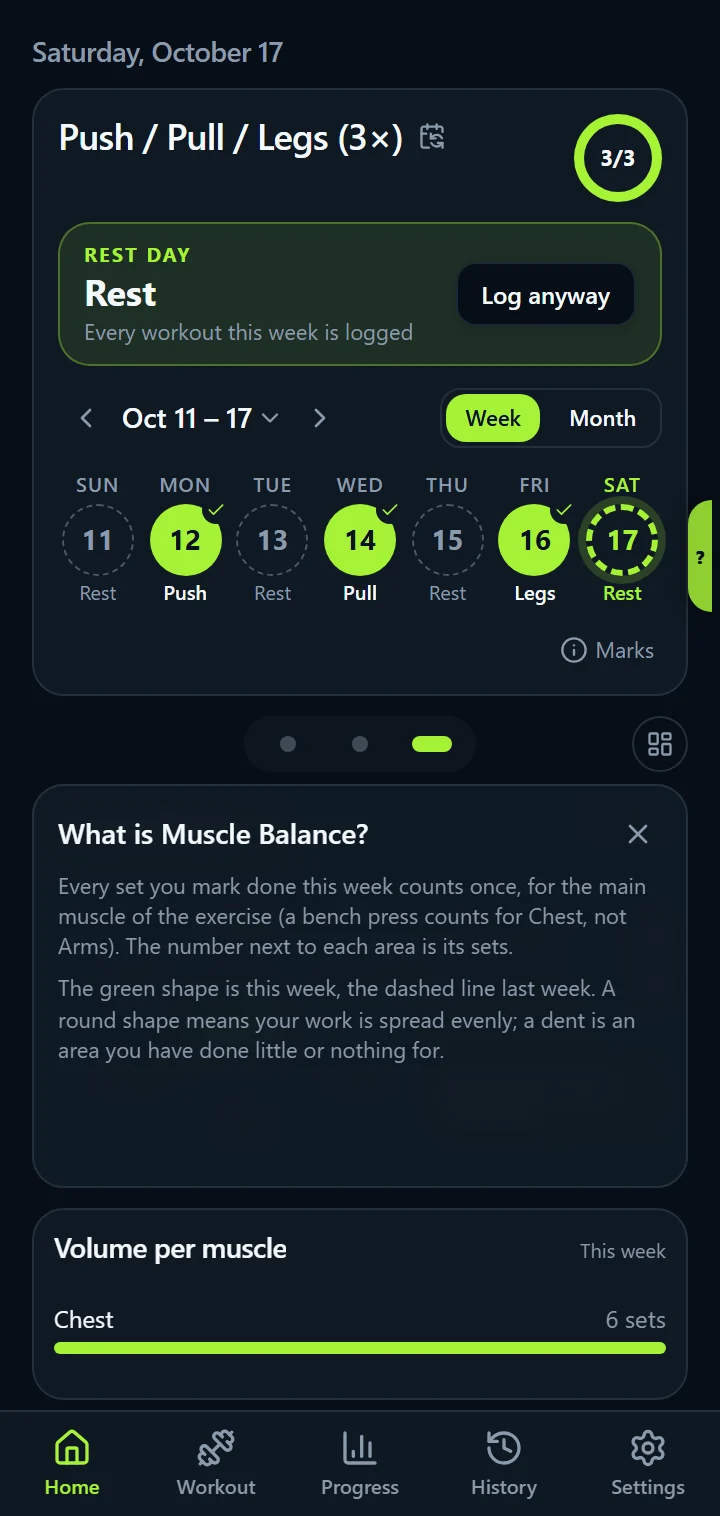
Tap ⓘ on the widget and it explains itself. Every set you mark done counts once, for the main muscle of the exercise: a bench press counts for Chest, a lat pulldown for Back, a leg press for Legs. Helper muscles don't add sets, so nothing is counted twice and the totals stay honest.
Research on hypertrophy usually points to roughly 10 to 20 working sets per muscle group per week. IronBuddy doesn't set a target for you; it shows your real numbers so you can judge them against whatever programme you follow. Read how many sets per muscle group per week for what the research suggests and how to count.
Muscles worked: every muscle you trained, on a body map
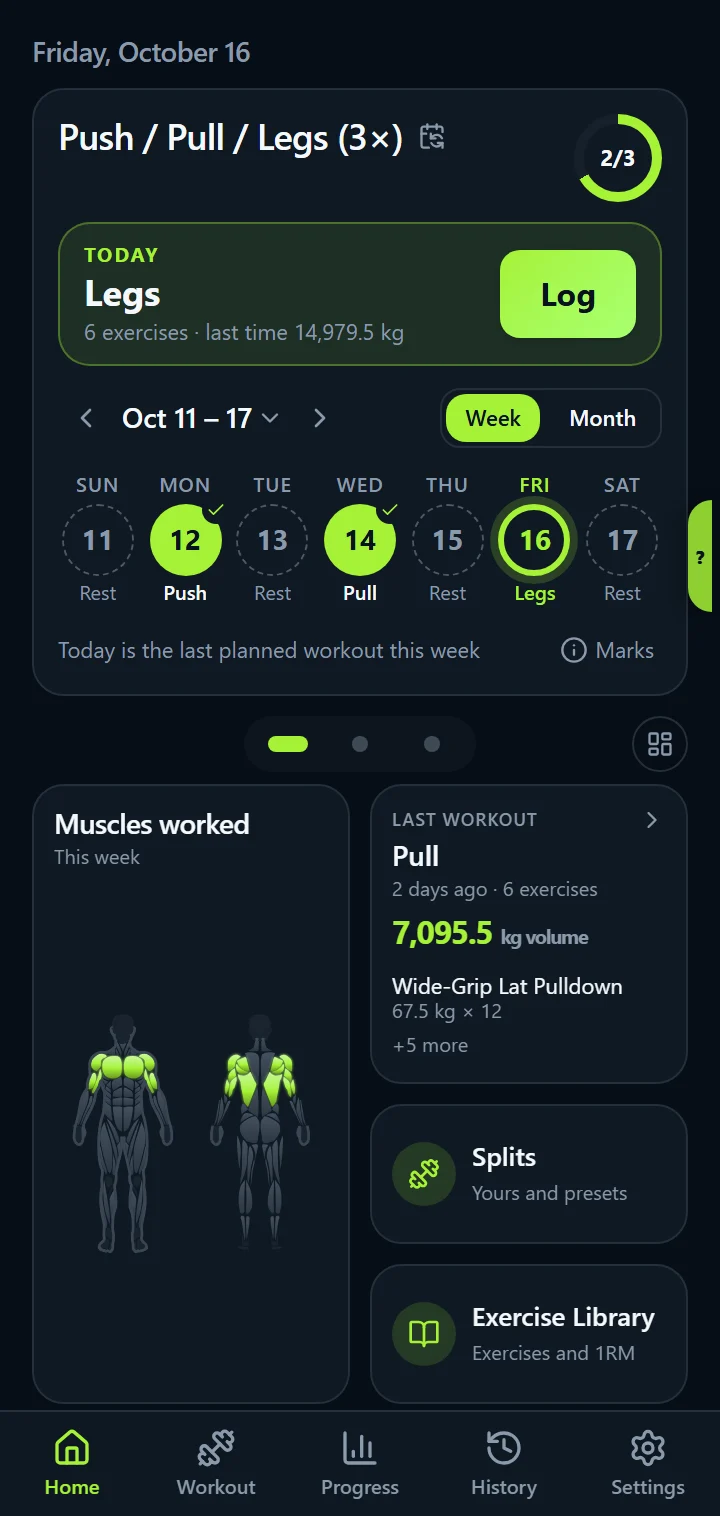
The first widget on Home is a front and back body drawing. Every muscle you trained this week lights up in the same strong colour. It is a picture of coverage, not of volume, so a single set of curls lights the biceps just as a full arm day does.
Hip and leg compounds count for the glutes too: squats, deadlifts, Romanian deadlifts, lunges, leg press and back extensions light the glutes along with their main muscle, while leg extensions and leg curls don't.
Muscles elsewhere in the app
- Workout summary: after each session, the body map for that workout and the working sets per muscle. See the workout summary.
- Exercise pages: the target muscles of any exercise, primary ones solid and secondary ones faded, on the same body map. See the exercise library.
- Volume per muscle: a widget on Home that lists your working sets per muscle this week as bars.
- Share: in the full version, the workout card you share includes the muscles you worked.
Every catalogue exercise carries its primary and secondary muscles; custom exercises use the muscle group you give them. Rear-delt work (reverse flyes, face pulls, rear-delt raises) shows on the back of the shoulders, presses on the front.
Muscle Balance questions
How does IronBuddy count sets per muscle group?
Every set you mark done counts once, for the main muscle of the exercise. A bench press counts for Chest, not for Arms or Shoulders; a squat counts for Legs. Sets with no reps and no weight are skipped. The six areas are Chest, Shoulders, Arms, Core, Legs and Back.
Which week does Muscle Balance show?
The current calendar week, the same one the calendar on Home shows, against the week before it. Every workout you logged counts, planned or not, so an extra session on a rest day is included.
What is the difference between Muscles worked and Muscle Balance?
Muscles worked (the body map on Home) shows which muscles you trained this week, all in the same colour, however many sets. Muscle Balance shows how much: the number of working sets per body area and how it compares with last week.
Get IronBuddy on Google Play
Free to download with a 7-day free trial. After the trial, pay €6.99 once to keep it all unlocked. No account, no ads, no subscription.