
Exercise library
800+ exercises with form demos, filters and your own records
IronBuddy ships with more than 800 exercises, each with a demonstration, written cues and the muscles it targets. Search them, filter by muscle group and equipment, sort by the ones you did most recently, and open any exercise to see your last workout and your records next to the form demo. All of it works offline.
Last updated

7-day free trial, then €6.99 once · No subscription
Search, Recent, and sort
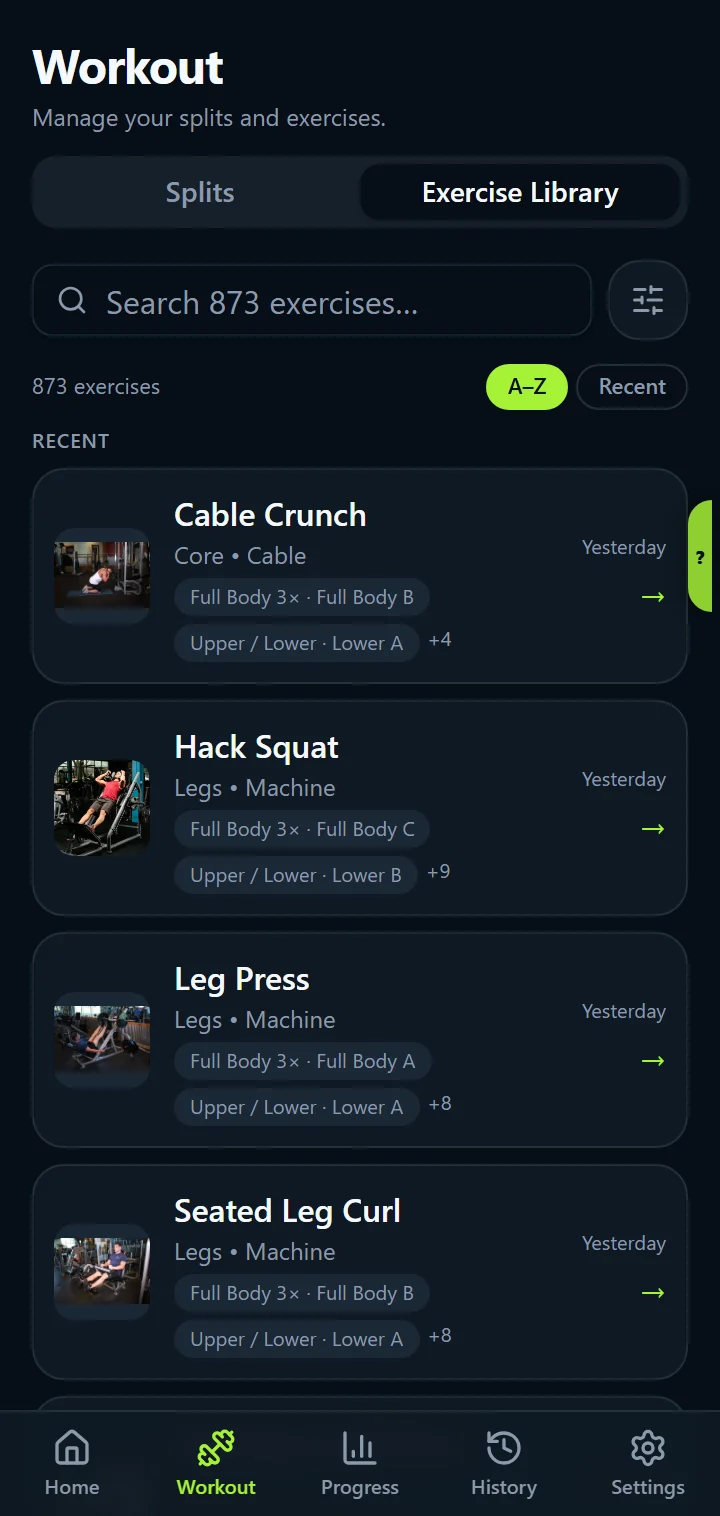
The library opens on a Recent section with the exercises you did lately and when (“Yesterday”, “3 days ago”), then the full list. Type a few letters to search (“press” finds every press), and sort A–Z or by Recent. Custom exercises sort in with the rest.
Filter by muscle and equipment
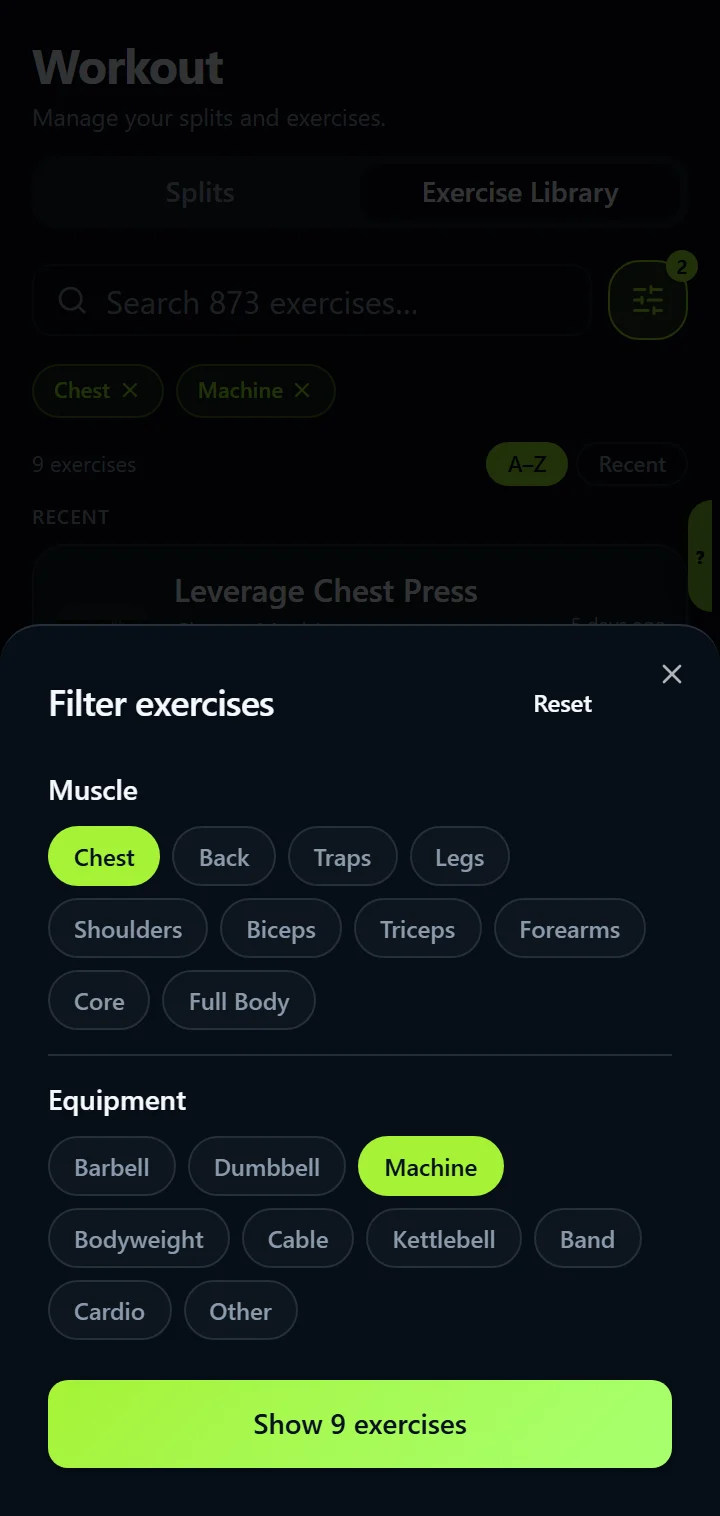
Tap Filters for two groups of chips. Muscle: Chest, Back, Traps, Legs, Shoulders, Biceps, Triceps, Forearms, Core, Full Body. Equipment: Barbell, Dumbbell, Machine, Bodyweight, Cable, Kettlebell, Band, Cardio, Other. Combine them (chest exercises on a machine, say), and the button shows how many results match before you apply it. The same filters are in the exercise picker when you add an exercise to a day.
Every exercise, explained, with your numbers
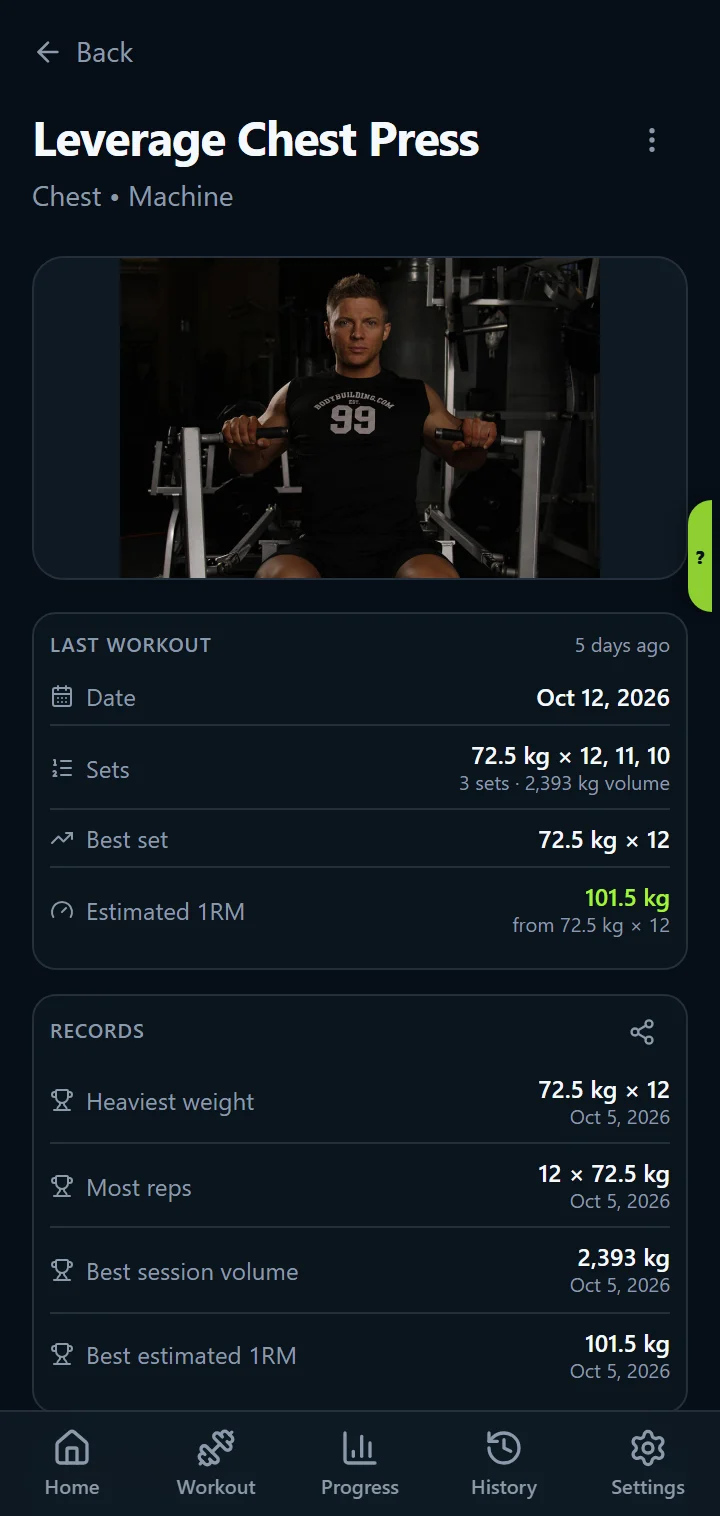
An exercise page opens with the demonstration. Under it, Last workout as a table (date, the sets grouped by weight such as “60 kg × 10, 10, 9”, best set and estimated 1RM), then Records (heaviest weight, most reps, best session volume, best estimated 1RM, with dates), then Target muscles on a front and back body map, primary muscles solid and secondary faded, and finally how to do it.
The same page opens wherever you tap an exercise: from Home, from a split, from the library or from the picker, and from Home you can log this exercise on its own without editing the whole day.
Where the exercises come from
- The catalogue is based on free-exercise-db, an open exercise database, with IronBuddy's own corrections: for example rear-delt work shows on the back of the shoulders, presses on the front.
- Every exercise has its primary and secondary muscles, which drive Muscle Balance and the muscles worked on Home.
- Demonstrations are two-frame animations stored in the app, so they play without a connection.
- The credits are in the app under Settings → About.
Exercise library questions
Does the exercise library work offline?
Yes. The exercises, their demonstrations, cues and muscle data ship with the app, so search, filters and every exercise page work with no signal and no account.
Can I add my own exercises?
Yes. Create a custom exercise with its name and muscle group from the exercise picker. It sorts in with the rest, keeps its own records and charts, and is included in your exports.
Which equipment and muscle filters are there?
Muscles: Chest, Back, Traps, Legs, Shoulders, Biceps, Triceps, Forearms, Core and Full Body. Equipment: Barbell, Dumbbell, Machine, Bodyweight, Cable, Kettlebell, Band, Cardio and Other. You can combine them, and the active filters show as chips you can clear one by one.
Get IronBuddy on Google Play
Free to download with a 7-day free trial. After the trial, pay €6.99 once to keep it all unlocked. No account, no ads, no subscription.